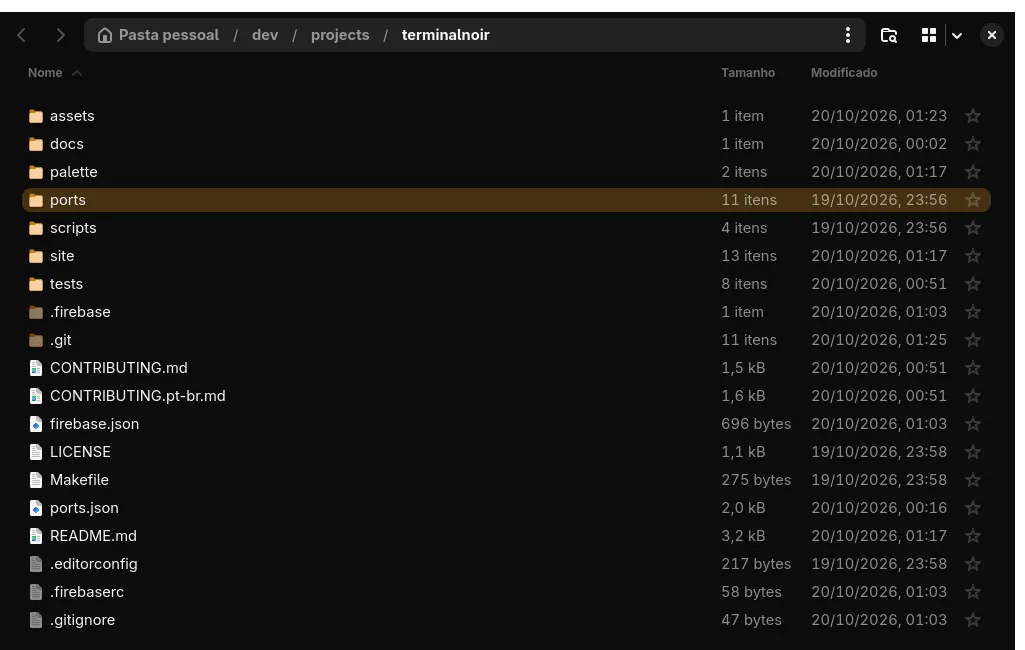
Dark colors and the amber accent for GTK 4 and libadwaita apps (Nautilus, file chooser, settings dialogs), plus an icon theme with amber folders.
Colors and accent
cp gtk.css ~/.config/gtk-4.0/gtk.css # or @import it from your own gtk.csslibadwaita 1.6+ takes the accent from the system preset through CSS variables; gtk.css sets them to the exact amber. Set the preset to the closest one too, for apps that only read the portal:
gsettings set org.gnome.desktop.interface color-scheme prefer-dark
gsettings set org.gnome.desktop.interface accent-color orange
Nautilus and the file chooser force a grey accent in file lists; gtk.css overrides that so selection and focus are amber.
Amber folders
Adwaita's folder icons are a fixed blue. scripts/build-gtk-icons builds a Terminal-Noir icon theme from the installed Adwaita, recoloring only the folders:
scripts/build-gtk-icons            # writes ~/.local/share/icons/Terminal-Noir
gsettings set org.gnome.desktop.interface icon-theme Terminal-Noir
Rerun it after an adwaita-icon-theme update. Reopen GTK apps to see the changes.