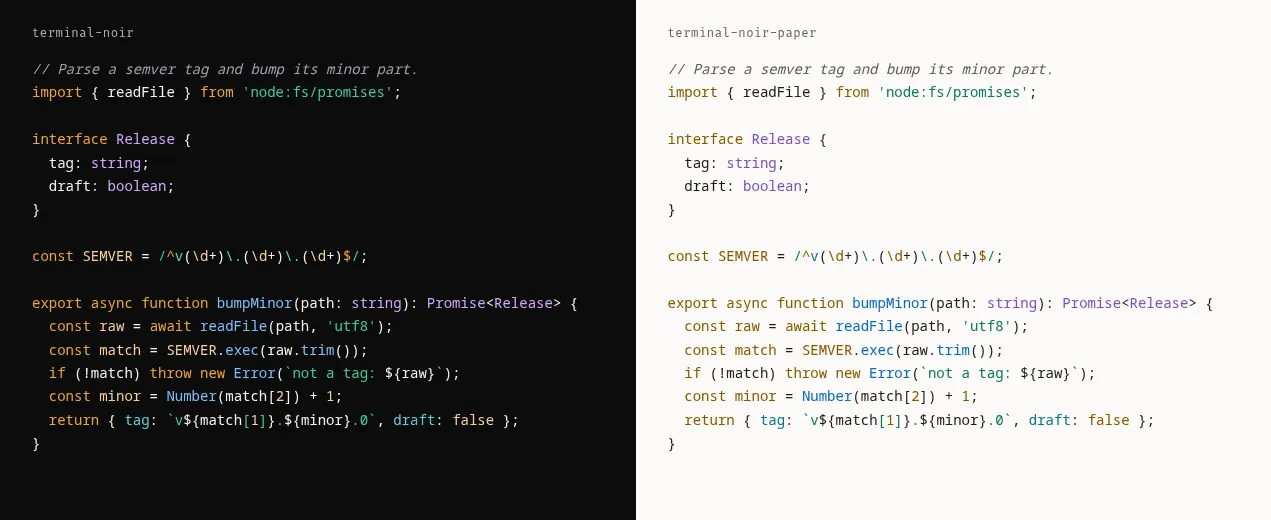
Shiki themes for code on websites: terminal-noir.json (dark) and terminal-noir-paper.json (light). Every token clears WCAG AA on the theme's background.
Install
Copy both files next to your config, then pass them as theme objects:
import noir from './terminal-noir.json' with { type: 'json' };
import paper from './terminal-noir-paper.json' with { type: 'json' };

const html = await codeToHtml(code, { lang: 'ts', themes: { dark: noir, light: paper } });
In Astro, set markdown.shikiConfig.themes to { dark: noir, light: paper }. With defaultColor: false, Shiki writes --shiki-dark and --shiki-light variables and your CSS picks one.